
Have an Alexa?
Say “Alexa – Play the Mars Hill Network!”
How does it work?
Great Question!
First, download the Mars Hill Network app onto your device.
Then, download the Amazon Alexa app onto your device (if you haven’t already).
Then, set up your device through the instructions given on the Amazon Alexa app
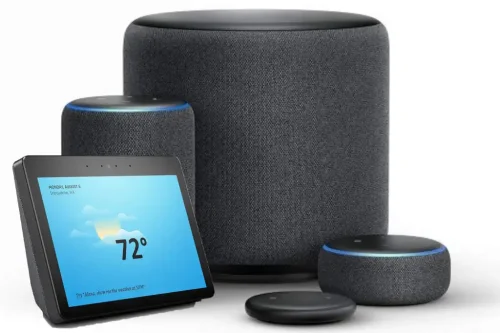
(list of devices that use Amazon Alexa)
Then, activate the Mars Hill Network app using Alexa’s voice-activated features!
You can activate our app on your Amazon device by following these instructions below:
For main Mars Hill Network broadcast:
To initially set up skill (for those who haven’t used Alexa), you need to say, “Alexa, enable Mars Hill Network skill”
To use Alexa skill (after skill is enabled), you need to say, “Alexa, play Mars Hill Network”
For Mars Hill Foundation stream:
To initially set up skill (for those who haven’t used Alexa), you need to say, “Alexa, enable Mars Hill Foundation skill”
To use Alexa skill (after skill is enabled), you need to say, “Alexa, Play Mars Hill Foundation”
If you have any trouble getting the verbal commands to work, we ask that you try them a couple of times.
Sometimes, the commands don’t work if the words aren’t heard clearly by the device.
If you’re still having trouble after several attempts, please call our office and we will assist you.
We thank you in advance for tuning in to Mars Hill Network using Alexa by Amazon!